
upSync keeps a record of all your subscription payments. You can view and download your billing invoices from the Subscription page.
Viewing Your Billing History
- Go to Subscription in the main navigation.
- Scroll down to the Billing History section.
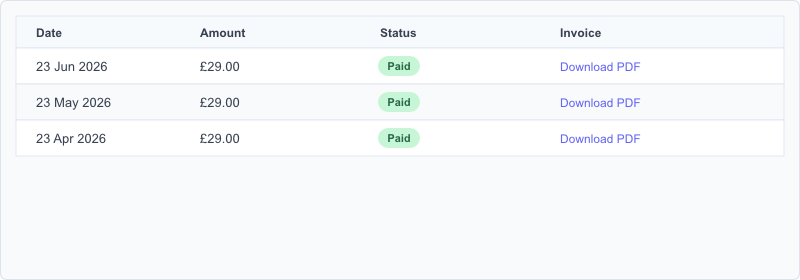
- A table lists all your subscription payments with the following columns:
- Date , When the payment was taken.
- Amount , The amount charged in GBP.
- Status , Paid or Pending.
- Download , A link to download the invoice as a PDF.
Downloading a Billing Invoice PDF
Click the Download PDF link in the Billing History table to download an individual invoice as a PDF file. The PDF is generated by Stripe and includes the billing period, amount, and your company details.
Invoices in the Stripe Portal
All billing invoices are also available in the Stripe customer portal. Click Update Billing on the Subscription page to open the portal, then navigate to the billing history section to view, download, or print invoices.
Note: Billing invoices from upSync relate to your upSync subscription charges. They are separate from the sales invoices you sync from Autotask to Xero.