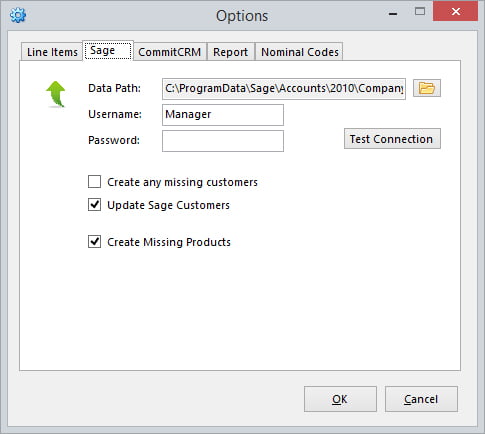
Easy to setup and install
Simply download our setup program and enter your RangerMSP and Sage Accounts data paths and you’re ready to go!

 RangerMSP to Sage 50
Import your RangerMSP charges and create every invoice in Sage Accounts in a couple of clicks, with customers created and kept up to date for you.
Free, fully functional 30 day trial.
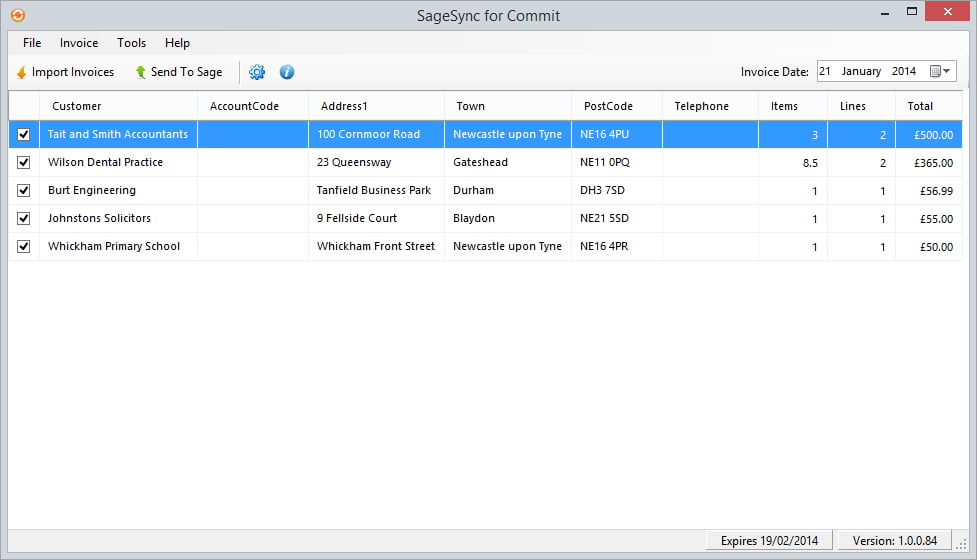
Simply click the Import Invoices button to import all your charges from RangerMSP, the import option allows you to filter charges by date, account, contract, ticket number and ticket status.
Once charges have been imported click Send To Sage and SageSync will create all your invoices within Sage Accounts for you. Any missing customers within Sage can be created, and any customer details that have been changed within RangerMSP will also be synced within Sage Accounts.
Simply download our setup program and enter your RangerMSP and Sage Accounts data paths and you’re ready to go!
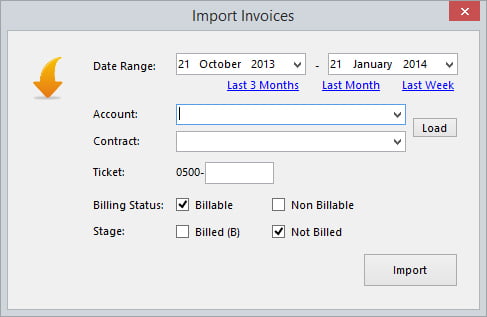
Once installed click Import Invoices to show a window allowing you to select which invoices you’d like to import.
Once imported you can edit and delete invoices before clicking Send To Sage to send all invoices to Sage Accounts.
No re-keying, no copying between systems. SageSync does the data entry so your invoice run takes minutes.
Run the setup program and enter your RangerMSP and Sage Accounts data paths.
Click Import Invoices and filter by date, account, contract, ticket number or ticket status.
Edit or delete any invoice before it goes anywhere near Sage.
SageSync creates the invoices in Sage Accounts, adding missing customers and syncing changed details.

Free, fully functional 30 day trial with all the support you need to get up and running. Make sure SageSync works for you before buying.

SageSync wasn't created by a software company trying to understand MSPs.
It was developed by an MSP that needed a better way to manage its own invoicing processes.
Today, SageSync continues to help service providers automate financial workflows, reduce administration and improve operational efficiency.
SageSync has been updated to be compatible with TLS 1.2.
When you’re ready to buy, use the purchase form to buy your SageSync serial number.
SageSync includes all updates and support during your subscription term. Updates will be delivered automatically to your software, support is available by contacting us via our contact page.
Try SageSync free for 30 days and see how quickly your next invoice run goes.