
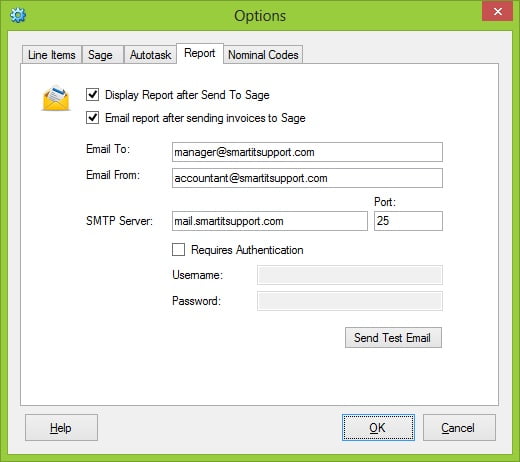
- Display Report after Send To Sage
Ticking this option will display an HTML report in your default web browser showing details of any new customers and invoices created in Sage. - Email report after sending invoices to Sage
Ticking this option will send an email to the specified email address with a report of all the new customers and invoices created in Sage. - Email To
This is the Email address AT2Sage will send the email report to - Email From
This is the email address the email will appear to have come from - SMTP Server
The address of the SMTP server to use to send the email - Port
The SMTP port to use to send the email - Requires Authentication
Tick if the SMTP requires authentication to send emails - Username
The username to use to authenticate against the SMTP server - Password
The password for the username above