Sync Autotask Invoices to Xero - Automatically

upSync connects your Autotask PSA directly to Xero, eliminating manual invoice entry, reducing errors, and keeping your accounts in perfect sync - all from your browser.

Manual invoice entry costs time you don't have

Many MSPs using Autotask and Xero are stuck re-entering the same invoice data twice - once in their PSA, once in their accounting software. That's hours every month wasted on low-value admin that introduces errors and delays your month-end close.

upSync was built specifically for MSPs to solve this problem with zero compromise.
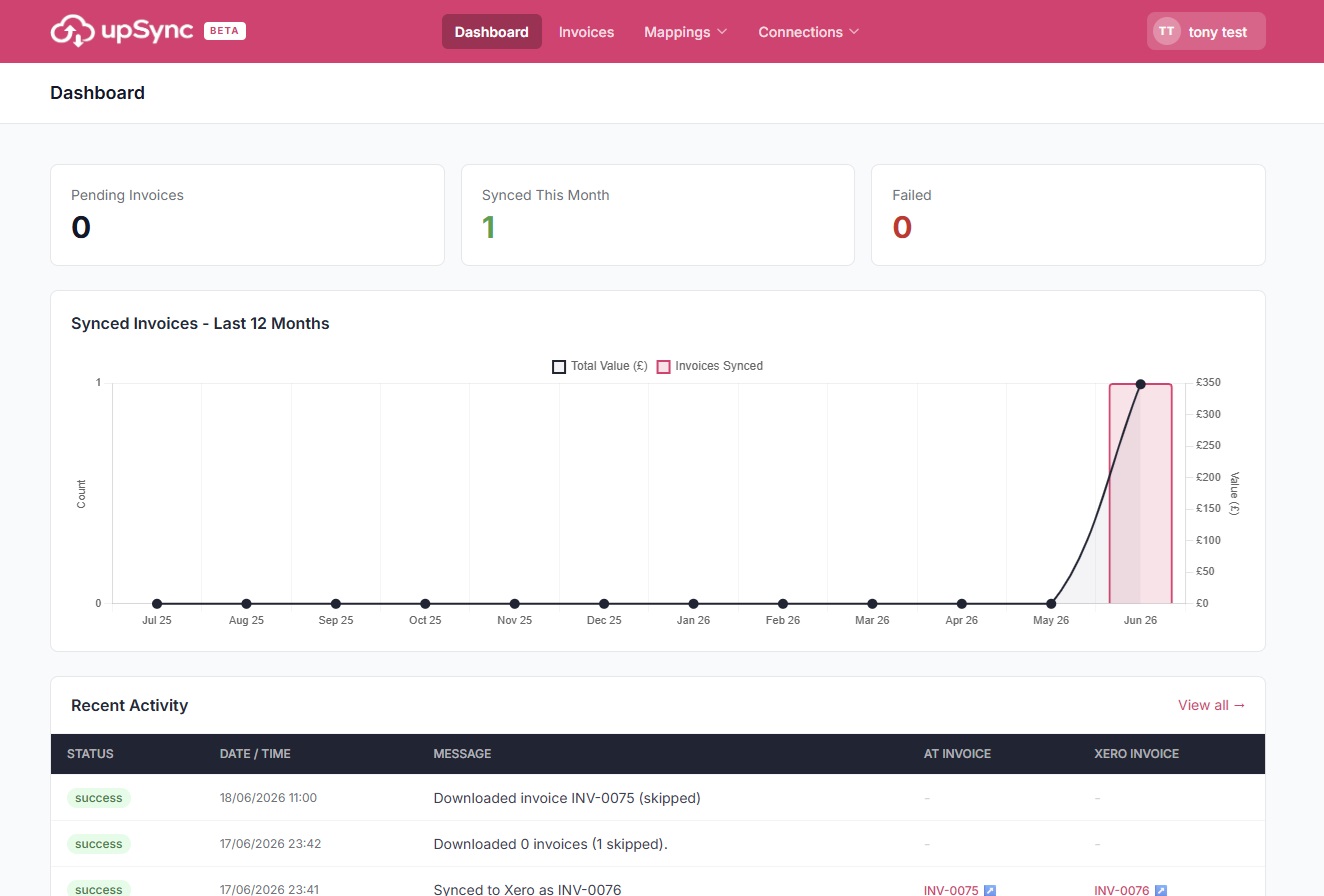
Fully Automatted Invoice Sync

upSync handles the full invoice lifecycle from pulling invoices out of Autotask to pushing payment status back, so your team can focus on your clients
Automated Invoice Sync

Pull invoices from Autotask and push them directly into Xero as draft, submitted, or authorised — your choice. Run on-demand or on a schedule.

Smart Contact Matching

Automatically match Autotask companies to Xero contacts by name or account number. Missing contacts are created in Xero automatically — no manual setup.

Billing Code Mapping

Map Autotask billing codes to your Xero GL account codes. Set a default fallback for unmapped codes so syncs never fail on a missing mapping.

Tax Code Mapping

Map Autotask tax categories to Xero tax types. Works with standard and custom tax setups so your VAT and sales tax reporting stays accurate.

Scheduled Sync

Set upSync to run automatically each day. New invoices are pulled, matched, and pushed to Xero without anyone needing to log in.

Payment Sync

When an invoice is marked as paid in Xero, upSync automatically updates the invoice in Autotask — no more manually chasing payment status across two systems.

Full Audit Log

Every sync action is logged with a timestamp, status, and detail — so you always have a clear record of what was synced, when, and by whom.

100% Cloud-Based

No software to install, no servers to manage. upSync runs in the cloud and connects via secure OAuth — just sign in and you're ready.

Up and running in under 15 minutes

upSync is designed to be set up once and then forgotten about. There's no complex configuration - just connect your accounts, map your codes, and start syncing.

Connect Autotask

Enter your Autotask API credentials. upSync detects your API zone automatically and tests the connection immediately.

Connect Xero

Click to authenticate with Xero. upSync imports your Xero GL accounts and tax codes — no manual copying of codes required.

Map your billing codes

Match your Autotask billing codes and tax categories to the correct Xero GL accounts and tax types. Set a default for anything unmapped.

Start syncing

Choose a date range, select your invoices, and sync. Or enable scheduled sync and let upSync run automatically every day.
© 2026 SmartStack Ltd. All rights reserved.